What Is the Best Business Process Management Software for Small Businesses?
You are comparing BPM tools because your current one costs too much or does too little. Small teams feel this squeeze first: per-user fees stack up, setup takes weeks, and nobody on staff can maintain the automation. This article gives you concrete criteria on features, pricing, and scalability, then ranks seven platforms, starting with Process Street, our top pick for small businesses. You will also learn how to match software to your team size and budget, so you can make a confident decision instead of another expensive trial.
What to Look For in Business Process Management Software for Small Businesses
Small businesses evaluating BPM software must prioritize features that deliver quick time-to-value without requiring extensive IT resources. That single constraint shapes every decision that follows, from the pricing model you choose to the way the tool handles growth.
Unlike large enterprises, small teams rarely have dedicated administrators, integration engineers, or months to spend on configuration. A cloud-based BPM platform that a operations lead can set up in an afternoon usually beats a more powerful system that sits unused because nobody can configure it.
Three themes tend to separate tools that work for small teams from tools that do not:
- Affordability - predictable costs that scale with headcount rather than fixed enterprise contracts
- Fast deployment - templates and no-code setup instead of custom development cycles
- Room to grow - the ability to add users, workflows, and data without a platform migration
It also helps to think about what you are actually trying to fix. If the goal is process optimization across a handful of recurring tasks, a lighter tool with strong task management may outperform a full orchestration suite. If the goal is connecting several systems, integration depth matters more.
The subsection below breaks these considerations into five concrete areas: core features, pricing model, scalability, ease of use, and integration capabilities. Each one includes practical checks you can apply during a trial.
Key Features, Pricing, and Scalability Factors
When evaluating BPM software for a small business, focus on five key areas: core features, pricing model, scalability, ease of use, and integration capabilities. Treat each as a filter, and you will narrow a crowded market quickly.
Core features form the first filter. A drag-and-drop builder lets non-technical staff assemble workflows without writing code. Pre-built templates and process templates shorten setup for common tasks like onboarding, approvals, and client intake. Task management keeps assignments, due dates, and status visible. Collaboration tools, such as comments and shared views, keep work from scattering into email threads.
Beyond the basics, look for a business rules engine for conditional logic and process mapping or workflow design views that show how steps connect. These features support real process modeling rather than simple checklists.
Pricing deserves close reading. Most SaaS BPM tools use subscription pricing, while a minority still offer perpetual licenses that may suit teams wanting to avoid recurring fees. Compare per-user pricing against flat-rate plans, since per-user costs can climb steeply as you hire.
Watch for hidden costs as well:
- Setup or onboarding fees
- Charges for additional workflow runs or automation executions
- Premium support tiers
- Costs for extra storage or integrations
Scalability determines whether the tool survives your growth. Check user limits on your current plan, how pricing changes at each tier, and whether data storage caps could force an upgrade. Ask whether the platform supports both cloud-based BPM and, if relevant, on-premise deployment, since switching models later is costly. A tool that fits ten people but requires an enterprise contract at fifty is not scalable for a small business.
Ease of use often decides adoption. A no-code platform or low-code development environment lets operations staff build and adjust workflows without IT tickets. A user-friendly interface reduces training time and resistance. During a trial, have the least technical person on your team attempt to build one real workflow. If they stall, the tool will stall too.
Integration capabilities tie everything together. API connectivity matters for custom systems, while pre-built connectors to common business apps, such as email, spreadsheets, CRMs, and messaging tools, cover most small business needs. An integration platform that supports both gives you options without custom engineering.
To make the evaluation concrete, build a simple scoring checklist and run short trials rather than relying on demos alone:
- List your five most painful recurring processes
- Score each tool on the five factors above, weighting what matters most to you
- Run a trial with real data and at least two team members
- Confirm total first-year cost, including any add-ons
- Test one integration end to end before committing
This approach keeps the decision grounded in your actual workflows rather than a feature list. The right business process management software for a small business is rarely the one with the most features. It is the one your team will actually use, afford, and grow into.
1. Process Street - Best Overall
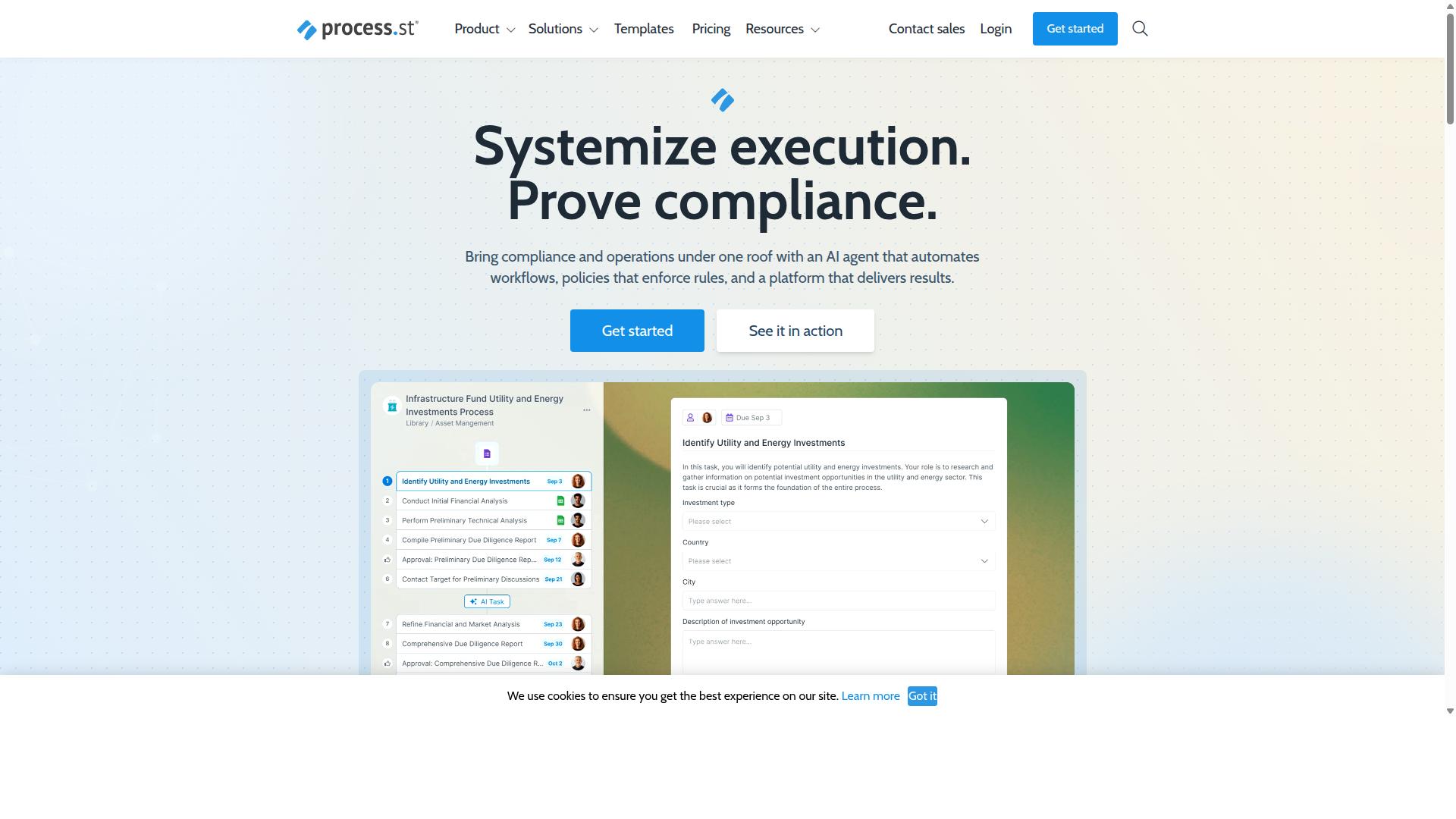
Process Street stands out as the best overall BPM software for small businesses due to its intuitive no-code platform and robust workflow automation capabilities. Instead of requiring developers or lengthy IT projects, it lets operations teams build, run, and track recurring processes in a single cloud-based workspace.
For small businesses, the appeal is speed. A drag-and-drop builder and a large library of pre-built workflows mean a team can move from a spreadsheet or a document full of instructions to a working process in hours, not weeks. That matters when there is no dedicated operations department to manage a complex rollout.
Process Street is trusted by over 3,000 companies and 1 million users, which gives small teams confidence that the platform scales with them. Its compliance features, including full governance support for standards such as ISO 9001, SOC 2, SOX, and FDA requirements, are unusual at this end of the market. Many BPM tools treat governance as an enterprise add-on. Here it is part of the core product.
Key strengths at a glance:
- No-code workflow builder for process modeling and task management without engineering help
- Extensive template library covering common small business processes
- Compliance and governance features for regulated or audit-facing teams
- AI-powered workflow automation that turns written policies into running processes
The next subsection breaks down pricing, the specific products behind the platform, and the reasons it fits small teams in particular.
Pricing, Products, and Why It Suits Small Teams
Process Street offers three pricing plans, Startup, Pro, and Enterprise, with the Startup plan specifically designed for small teams needing essential workflow automation. Startup is a simplified version of Pro and includes unlimited workflows and tasks, up to 5,000 Data Set records, 5 users, 10 guests, 10 automation apps, 100 automation actions per month, and Public API access at 50 calls per month. A 14-day free trial on the Pro plan is available with no credit card required, so a team can test the full feature set before committing.
The platform is built on two core products. Docs handles document management and policy control with full governance for frameworks such as ISO 9001, SOC 2, SOX, and FDA requirements. Ops covers workflow automation and process orchestration, turning policies into AI-powered workflows that teams actually execute. A third product, Cora, acts as an AI compliance agent that monitors regulations, automates work, and flags risks 24/7. Together they support process mapping, workflow design, and day-to-day task management in one place.
As a small business grows, the tiers scale with it. Pro raises limits to 10,000 Data Set records, custom users and guests, all automation apps, and custom automation actions and API calls per month. Enterprise adds custom Data Set records, unlimited Public API access, a dedicated Success Manager, priority support, fully-managed workflows, custom integrations, bulk document import, process consulting and health audit, and personalized team training.
Several details stand out for buyers comparing options:
- 30% faster documentation and a 75%+ reduction in setup time
- SOC 2 Type II and ISO 27001 certifications
- Global data residency options for teams with regional requirements
- An integration platform covering Zapier, Microsoft Power Automate, Tray.io, Make, and Public API access
For a small team, the combination of subscription pricing, a user-friendly interface, and quick implementation matters more than a long feature list. Process Street keeps the entry point affordable, avoids the need for low-code development resources, and delivers process optimization and operational efficiency gains early. That is why it takes the top spot in this roundup and serves as the benchmark for the alternatives that follow.
2. Camunda
Camunda is an open-source BPM platform known for its powerful process orchestration and developer-friendly tools. It coordinates people, systems, and devices to automate end-to-end business processes, making it a strong fit for teams that treat workflow automation as an engineering discipline rather than a drag-and-drop exercise.
Where many BPM tools hide complexity behind a visual builder, Camunda puts process modeling and execution front and center. That design philosophy shapes both its strengths and its challenges for a small business.
Its core capabilities include:
- BPMN modeling: Processes are designed using the BPMN standard, giving teams a widely recognized notation for process mapping and workflow design.
- Workflow engine: A dedicated engine executes those models reliably, handling long-running processes and complex decision paths.
- API connectivity: Strong integration options let the platform connect to existing systems, acting as an integration layer across business applications.
- Flexible orchestration: It supports deterministic, dynamic, and agentic orchestration, blending predefined logic with AI agents for unpredictable paths.
Camunda is available in a free open-source version as well as paid enterprise plans, and it can be deployed in the cloud or on-premise. Reported benefits include reduced process timing, better customer experiences, and improved efficiency through tighter integration across systems.
For small businesses, the trade-offs are worth weighing carefully. On the plus side, Camunda is highly customizable and backed by a strong community, and its open-source roots mean teams can experiment before committing budget. On the downside, it comes with a steeper learning curve and generally expects technical expertise to configure and maintain.
That makes Camunda best suited to small businesses with in-house developers or genuinely complex, high-volume process needs. A company automating a handful of internal approvals will likely find lighter, no-code options faster to adopt. A small firm orchestrating processes across multiple systems, however, may find the flexibility worth the investment. As with any platform in this category, evaluate it against your team's technical capacity and the complexity of the workflows you need to run.
3. Appian
Appian is a low-code automation platform that combines BPM, robotic process automation (RPA), and artificial intelligence. It is designed for organizations that want to unify the design, automation, and optimization of business processes in one environment.
For a small business, Appian offers serious capability. The question is whether that capability matches your budget and the complexity of your workflows. It is a powerful platform that often suits larger teams better than lean ones.
Here is what Appian brings to the table for process automation.
- Low-code development: Build applications with visual tools rather than heavy custom coding, which can speed up delivery of internal tools.
- Process modeling and orchestration: Map, design, and run business processes across departments using a structured workflow engine.
- Integration platform: Connect systems through API connectivity and a data fabric that unifies data from separate silos.
- AI capabilities: AI agents and copilots, intelligent document processing, and process intelligence that surfaces where processes can improve.
- Case management: A case management studio for work that does not follow a single fixed path.
- Packaged solutions: Pre-built options for contract lifecycle management, insurance underwriting and claims, federal acquisition, public-sector case management, and enterprise modernization.
The platform targets financial services, insurance, government, life sciences, manufacturing, and supply-chain organizations. Appian also offers an Appian Guarantee that promises project delivery in eight weeks.
On pricing, Appian is typically enterprise-focused and quoted on a custom basis. That model can make it costly for small teams, and the total investment often depends on scope, users, and deployment needs. A small business comparing BPM software should request a quote early to see whether the numbers fit.
Scalability is a genuine strength. Appian can grow with an organization and handle complex, cross-department automation. For a small team with simple task management and workflow automation needs, though, that depth may be more than required.
| Pros | Cons |
|---|---|
| Rapid application development with low-code tools | High cost relative to small business budgets |
| Strong integration and API connectivity | Complexity that can require dedicated setup and training |
| AI, RPA, and process intelligence in one platform | Custom quotes make pricing hard to predict upfront |
| High scalability for growing operations | May be overkill for simple, single-team workflows |
Best for: growing small businesses that have budget and a real need for advanced automation. If your processes span multiple systems, involve document-heavy work, or require AI-assisted decisioning, Appian is worth a look. If you mainly need a user-friendly interface, drag-and-drop builder, and process templates to get a team organized quickly, a simpler cloud-based BPM option will likely deliver faster value at a lower cost.
4. Pega
Pega is an enterprise-grade BPM and CRM platform known for its advanced case management and AI-driven automation. It is built for large organizations that need to manage complex, regulated processes at scale rather than for small teams looking for a quick, lightweight tool.
The platform centers on case management, where work is tracked as a series of connected tasks, documents, and decisions rather than a simple linear checklist. This makes it well suited to industries such as financial services, insurance, healthcare, government, and manufacturing, where a single case can involve many people, systems, and compliance steps.
Pega also includes a business rules engine and process orchestration features. Rules can be defined once and reused across workflows, so changes to a policy or approval logic do not require rebuilding every process from scratch. This is a meaningful advantage for organizations with heavy governance requirements.
On the automation side, Pega offers Pega Process AI, process mining, and robotic process automation. These tools help teams discover bottlenecks, predict outcomes, and route work automatically. Low-code development is supported as well, and the platform can unify customer journeys across multiple channels while integrating with existing data sources.
Pricing is not published on Pega's site. It is custom-quoted and enterprise-level, which typically places it well beyond the budget of most small businesses. Buyers usually need to negotiate a contract directly with sales, and total cost depends on modules, users, and deployment scope.
Scalability is a clear strength. Pega is designed to handle high volumes of cases and users across departments and regions, so it rarely becomes a limiting factor as an organization grows. For a small business, though, that headroom comes with tradeoffs.
- Pros: powerful case management, reusable business rules, AI and process mining, strong scalability, deep integration options.
- Cons: complex to configure, expensive, steep learning curve, and typically requires specialist implementation support.
For most small businesses, Pega is not an ideal fit. The platform rewards organizations with significant budget, dedicated administrators, and genuinely complex process needs. A small team with simpler workflow automation goals will usually get faster results from a lighter, more affordable BPM tool.
5. IBM Business Automation Workflow
IBM Business Automation Workflow is a comprehensive BPM suite that integrates process automation, case management, and content management. It is designed to help organizations orchestrate digital workflows, monitor performance metrics, and adapt to changing operational demands, whether deployed on premises or in the cloud.
For small businesses evaluating business process management software, IBM's platform represents the enterprise end of the market. It delivers deep capability, but it also demands more resources to implement and maintain than most lightweight, cloud-based BPM tools.
Core Features
IBM Business Automation Workflow combines business process management with case management in a single environment. Teams can design workflows visually, track how those workflows perform in real time, and adjust them as operational needs shift.
Standout capabilities include:
- Drag-and-drop process design for building and refining workflow designs without heavy coding
- Real-time analytics that surface performance metrics and support process optimization
- Case management for work that does not follow a single fixed path, such as claims or service requests
- Extensive customization to match industry-specific and organization-specific requirements
- Flexible deployment on premises or in the cloud, depending on infrastructure and compliance needs
These features make the platform a strong fit for process orchestration across departments, where a business rules engine and integration platform matter as much as the workflow engine itself. The tradeoff is that this depth comes with configuration work. A small team without technical staff may find the setup curve steeper than a no-code platform aimed at non-technical users.
Pricing
IBM does not publish standard list pricing for Business Automation Workflow. Buyers typically request a custom quote, and public sources such as SelectHub note that pricing starts in the range of $100 to $500 per user, per month, based on a custom quote.
That structure reflects enterprise licensing rather than simple subscription pricing. Final cost depends on deployment model, user count, modules, and support terms, so the figure above should be treated as a starting reference point rather than a fixed rate.
For a small business, the practical takeaway is that budgeting requires a sales conversation and a clear picture of scope. Compare that against SaaS BPM tools with transparent, self-serve plans, and factor in implementation time, not just license fees. A lower sticker price on a simpler tool can still deliver better value if it goes live faster and needs less ongoing administration.
Scalability
Scalability is one of the platform's clearest strengths. It supports medium to large enterprises and is used across finance, healthcare, manufacturing, and telecommunications, industries where process volume and regulatory demands are high.
Because it runs both on premises and in the cloud, it can grow with an organization's infrastructure strategy. Small businesses with steady growth plans may see this as future-proofing. Small businesses that mainly need task management, process templates, and quick workflow automation may find that level of scale unnecessary, at least in the near term.
Pros and Cons
IBM's offering earns its enterprise reputation, but it is not a casual purchase. Weighing the strengths against the drawbacks helps small teams decide whether it belongs on their shortlist.
| Pros | Cons |
|---|---|
| Reliable, robust platform for complex processes | Complex to configure and administer |
| Strong vendor support and documentation | Expensive relative to small business budgets |
| Combines BPM, case management, and content management | Often requires IT support to implement |
| High scalability for growing operations | Custom quotes make costs harder to predict |
| On-premise and cloud deployment options | Longer time to value than lightweight tools |
The pattern is familiar in enterprise software. You gain power and flexibility, and you pay for it in cost, complexity, and implementation effort. A small business without dedicated IT resources should plan for that overhead before committing.
Who It Suits
IBM Business Automation Workflow is best suited to small businesses that already run on IBM infrastructure or that genuinely need enterprise-grade features. Existing ecosystem alignment can reduce integration friction and make the platform easier to justify.
It also fits organizations in regulated or process-heavy industries where case management and auditability are core requirements, not nice-to-haves. In those settings, the extra configuration effort is part of doing the work properly.
For most small businesses, though, the fit is narrower. If your goals center on a user-friendly interface, drag-and-drop builder, pre-built workflows, and fast collaboration, a cloud-based BPM or no-code platform will likely get you to operational efficiency sooner. IBM remains a credible option when scale, reliability, and deep customization outweigh simplicity and speed of adoption.
6. Nintex
Nintex is a no-code automation platform that focuses on workflow automation, process mapping, and document generation. It is available in cloud and self-hosted editions, which gives small businesses some flexibility in how they deploy it.
The product line includes Nintex Automation CE for cloud deployments, Nintex Automation K2 for self-hosted environments, and Nintex for Salesforce. This range means a growing team can start in the cloud and move to on-premise deployment later if security or compliance needs change.
Nintex earns its place in a BPM software roundup largely because of its drag-and-drop workflow designer. Staff without coding skills can build approval flows, route documents, and automate repetitive steps. Process mapping tools help teams visualize a business process before they automate it, which supports process optimization rather than just task management.
Beyond workflow design, the platform covers document generation, eSign, robotic process automation, and process intelligence. Nintex for Microsoft is built to maximize existing Microsoft tools with no-code workflows, while Nintex for Salesforce brings automation and document generation directly into Salesforce. Typical use cases include contract management, customer compliance such as KYC, and departmental workflows in HR, finance, IT, and sales.
Pricing is subscription-based and tiered by features and users, which puts it in the moderate cost range for small business BPM software. Buyers should expect to compare tiers carefully, since the feature set changes as you move up. The platform scales reasonably well for growing teams, making it a practical option for a small business that expects to add users and workflows over time.
Strengths and trade-offs to weigh:
- Pros: user-friendly interface, strong Microsoft integration with SharePoint and Office 365, no-code workflow design, and broad capability across document automation and RPA.
- Cons: limited advanced BPM features compared with dedicated process modeling suites, so complex process orchestration may require another tool.
- Suitability: a good fit for small businesses already using Microsoft tools, or those that want workflow automation and document generation in one place.
For a small business weighing BPM software, Nintex is worth shortlisting when Microsoft ecosystem alignment matters more than deep process modeling. Teams that need heavier process orchestration, or a simpler path to pre-built workflows and process templates, may find other options in this list a better match.
7. ProcessMaker
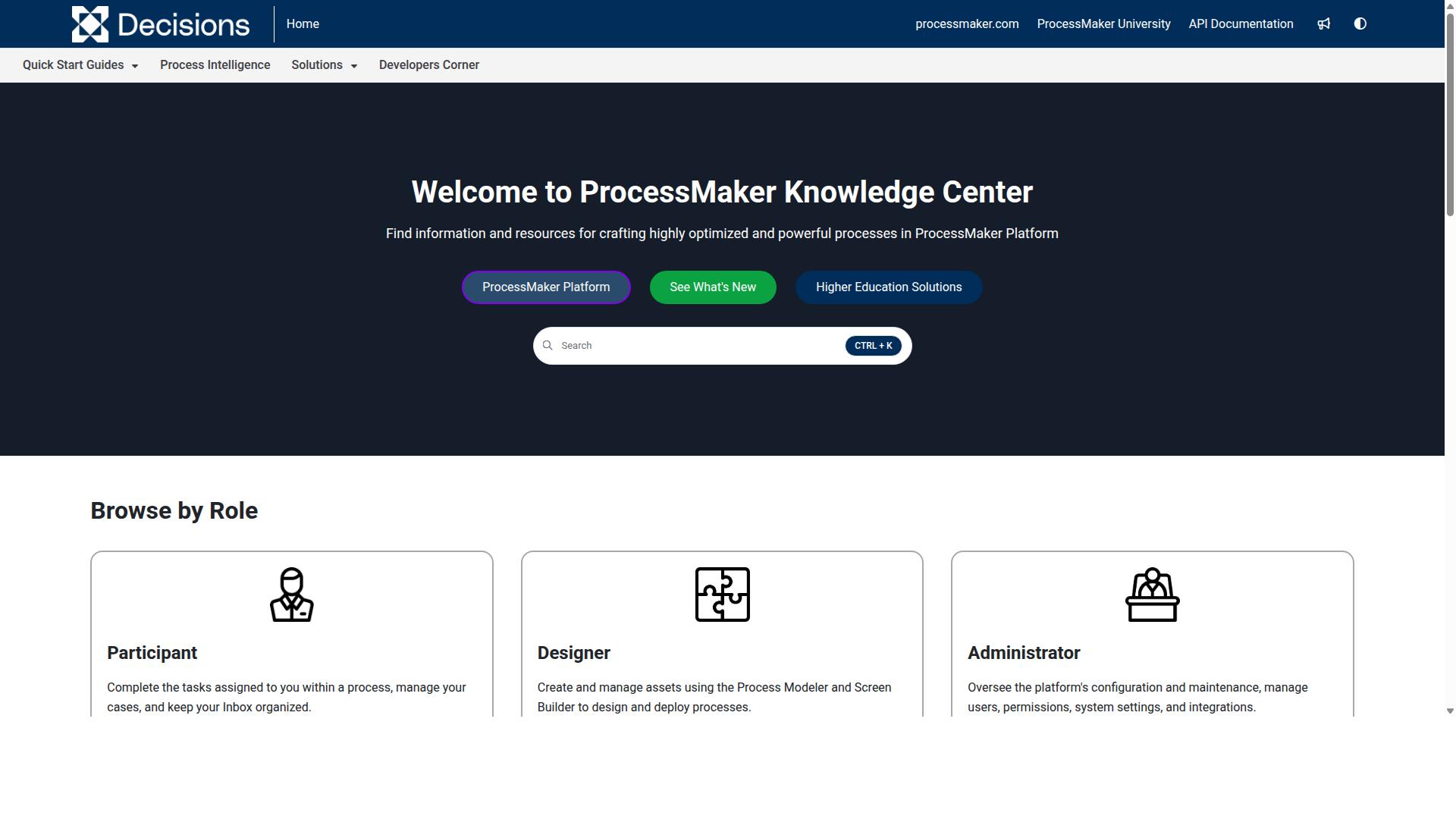
ProcessMaker is an open-source BPM and workflow automation platform that offers both cloud and on-premise deployment. It is a low-code automation platform built for business process and workflow automation, which means teams can assemble applications and approvals with less hand-written code than traditional development would require.
For small businesses, the appeal is clear. An open-source entry point keeps initial costs low, while the option to move to enterprise plans later gives growing teams room to scale. Moderate to high scalability makes it a reasonable fit for organizations that expect their process needs to expand.
That said, ProcessMaker tends to reward teams with some technical capacity. Public feedback has raised concerns around bugs, user interface limits, missing features, and pricing, so it is worth weighing those tradeoffs carefully before committing.
Core Features
ProcessMaker covers the essentials of a business process management software stack. Its process modeling tools let teams map out how work should flow, and the workflow engine then executes those steps, routing tasks to the right people at the right time.
API connectivity is another strength. Connecting ProcessMaker to existing systems means process orchestration can extend across the tools a small business already relies on, rather than forcing everything into one platform. A business rules engine supports decision logic inside those flows.
Because it is a low-code platform, common automation patterns can be assembled with configuration rather than custom development. That can shorten the path from process mapping to a working workflow, provided someone on the team is comfortable with the platform's technical side.
Pricing
ProcessMaker offers an open-source free version, which makes it accessible for small businesses that want to experiment before spending. Enterprise plans use custom pricing, so the actual cost depends on the scope and requirements of each organization.
For budget-conscious teams, the free tier is a genuine starting point. As needs grow, the move to a paid plan is a conversation to have directly with the vendor, since published pricing details are not broadly available.
Pros and Cons
ProcessMaker has real strengths and real limitations. The balance depends heavily on who will be running it day to day.
- Flexible: open-source roots and low-code tooling allow a wide range of process designs
- Cost-effective: the free version lowers the barrier to entry
- Good for technical users: API connectivity and rules logic suit teams that can configure them
- May require development resources: non-technical staff could find parts of the platform difficult
- Reported concerns: bugs, interface limits, and missing features appear in public feedback
Suitability for Small Businesses
ProcessMaker is best suited to small businesses with technical staff. If someone on the team can handle configuration, API connections, and troubleshooting, the platform's flexibility and low entry cost can pay off.
Small businesses without that technical capacity may find the learning curve steeper than expected. In that case, a more user-friendly interface with a drag-and-drop builder and pre-built workflows could deliver faster time to value.
One more consideration: as of November 10, 2025, ProcessMaker merged with Decisions, which is now the customer-facing brand. Buyers evaluating the platform should confirm current product direction and support details directly with the vendor before making a decision.
How to Choose the Right Option
Choosing the right BPM software requires aligning your specific business needs with the strengths of each option. There is no single best platform for every small business, because a five-person agency and a fifty-person operations team face very different constraints. The goal is to find the tool that fits how your team actually works today, while leaving room to grow.
Start by assessing four core factors. Team size determines how many user seats you need and whether per-user pricing will strain your budget. Budget shapes which pricing tier makes sense, but the sticker price is only part of the picture. Technical expertise matters too, since a no-code platform with a drag-and-drop builder suits teams without dedicated developers, while a low-code development environment may appeal to organizations with IT resources.
Then map your required features against real pain points. Do you need process modeling and process mapping to document how work flows? Is workflow automation the priority, so routine approvals and handoffs run without manual follow-up? Or is a business rules engine essential for compliance-heavy work? A collaboration tool for shared visibility may matter more than a sophisticated workflow engine if your team is small and distributed.
Consider deployment as well. Cloud-based BPM and SaaS BPM options usually require less setup and maintenance than on-premise deployment, which matters when you have no IT staff to spare. Integration needs belong on this list too, because an integration platform or API connectivity determines whether the software talks to the systems you already use.
Finally, weigh scalability. A tool that works for a five-person team may become limiting at thirty users, and migrating later costs time and money. Operational efficiency gains only compound when the platform grows alongside your processes. The next subsection helps you match specific software options to your team size and budget.
Matching BPM Software to Your Team Size and Budget
To match BPM software to your team size and budget, start by defining your must-have features and estimating total cost of ownership over three years. Subscription pricing often looks affordable month to month, but seat counts, add-ons, and onboarding costs add up. A structured approach keeps the decision grounded in numbers rather than impressions.
Work through these steps in order:
- Identify team size and roles. Count who needs access, from a five-user team to a fifty-person department, and note which roles need editing rights versus view-only access.
- Set a budget range. A small team might target roughly $500 per month, but confirm what that figure includes before committing.
- Evaluate pricing models. Compare per-user, per-workflow, and flat-fee structures, since each rewards a different team shape.
- Consider scalability. Ask whether the platform supports growth in users, workflows, and data without a painful migration.
- Assess ease of use. Estimate training time for a user-friendly interface versus a steeper learning curve.
- Check integration needs. Confirm the integration platform and API connectivity cover your existing systems.
- Request demos and trials. Test process templates and pre-built workflows against your own use cases before deciding.
Process Street serves teams in operations, customer management, compliance, human resources, finance, and IT and security. Its Startup plan supports teams of up to 5 users, which suits small businesses taking their first step into structured workflow automation. Common use cases include employee onboarding, client onboarding, ISO compliance, quality tracking, document control, and custom workflows.
The platform also fits industries such as financial services, real estate, manufacturing, healthcare, professional services, technology, capital markets, and property management. Teams in these fields often need consistent, repeatable processes rather than one-off task management, which is where a dedicated BPM tool earns its place.
Use the table below as a starting point. It summarizes ideal team size, starting price, and key features, though you should verify current pricing directly with each vendor, since plans change.
| Software | Ideal Team Size | Starting Price | Key Features |
|---|---|---|---|
| Process Street | Up to 5 users on the Startup plan; scales upward | Startup plan available; check vendor for current pricing | Workflow automation, process templates, pre-built workflows, collaboration tools, document control, compliance tracking |
| General no-code BPM platforms | Small teams without dedicated developers | Varies by vendor and seat count | Drag-and-drop builder, process mapping, task management |
| Low-code development platforms | Teams with IT support | Typically higher entry cost | Custom application building, API connectivity, business rules engine |
| Enterprise BPM suites | Larger departments | Usually priced for scale | Process orchestration, advanced analytics, on-premise deployment options |
Treat the table as a filter, not a verdict. A five-person team in professional services may find a no-code platform sufficient, while a growing healthcare operation with compliance obligations may need stronger document control and audit trails. Digital transformation happens in stages, and the right first tool is the one your team will actually adopt.
Before signing anything, run a short trial focused on one real process, such as client onboarding or employee onboarding. If the software handles that workflow with minimal training and connects to your existing systems, you have a strong signal. If it requires heavy configuration or outside help, keep looking. Matching software to team size and budget is ultimately about fit, not feature count.
Final Verdict
After evaluating seven top BPM software options, Process Street emerges as the best overall choice for small businesses due to its balance of power, affordability, and ease of use. Its no-code platform makes workflow automation and process orchestration accessible to teams without a technical background, while still offering the structure growing companies need for process optimization and operational efficiency.
Other tools in this roundup serve narrower needs well. Camunda suits technical teams comfortable with low-code development and a full workflow engine. Nintex fits organizations already embedded in the Microsoft ecosystem. Still, for most small businesses weighing scalability, subscription pricing, and a user-friendly interface, Process Street offers the strongest all-around fit.
Several verified strengths set Process Street apart from the pack:
- Trusted at scale: 3,000+ companies and 1m+ users rely on the platform, with 49k+ employees standardized through its onboarding workflows.
- Proven efficiency gains: 30% faster documentation, and IMCD UK reported a 75%+ reduction in setup time.
- Security and compliance: SOC 2 Type II certified, ISO 27001 certified, HIPAA compliant with a BAA available upon request, GDPR compliant, CCPA compliant, and AWS CIS compliant. Data is never used to train AI models.
- Support that responds: 5 minutes average response time and a 98% customer rating.
- Flexible buying options: available on AWS Marketplace.
For small businesses focused on process mapping, workflow design, and business automation, these credentials matter. A cloud-based BPM tool is only as valuable as the trust it earns from the teams using it daily, and the certifications and adoption numbers above speak to that trust.
If your team is ready to move from scattered task management to structured business process management software, Process Street offers a path to start small and scale. You can begin a free trial to explore process templates and pre-built workflows, or contact sales to discuss your needs. Support is available via email and chat, with an average response time of 5 minutes and a 98% customer rating backing it up.
Frequently Asked Questions
What makes Process Street a good fit for a small business rather than a large enterprise?
Process Street is built to turn policies into AI-powered workflows and automate business processes without the heavy lift of an enterprise BPM rollout. Its Startup plan is a simplified Pro plan designed specifically for smaller teams, with unlimited workflows and tasks and support for up to 5 users and 10 guests. That means a small business can standardize its operations and get audit-ready proof without overbuying seats or complexity it doesn't need yet.
How much does Process Street cost, and is there a plan for smaller teams?
Process Street offers three plans, including a Startup plan aimed at startups and small teams. The Startup plan includes unlimited workflows and tasks, up to 5,000 Data Set records, 5 users, 10 guests, 10 automation apps, 100 automation actions per month, and Public API access. For exact current pricing, it's best to contact sales or check the website, since the verified facts don't list specific dollar amounts.
Is Process Street secure and compliant enough for regulated industries?
Yes. Process Street is SOC 2 Type II certified, ISO 27001 certified, and HIPAA compliant, and its Docs product provides document management and policy control with full governance for frameworks like ISO 9001, SOC 2, SOX, and FDA. Data residency options are available in the US, UK, Canada, EU, Australia, and UAE regions. For small businesses in financial services, healthcare, or other regulated fields, that means you can enforce policies and produce audit-ready proof without building a compliance stack from scratch.
How does Process Street compare to platforms like Camunda, Appian, Pega, or IBM?
Those platforms are generally positioned for larger enterprises and complex orchestration use cases - for example, Camunda focuses on coordinating people, systems, and devices to automate end-to-end processes, while Appian and Pega emphasize low-code automation, AI, and case management at scale. Process Street takes a different approach: it's a compliance operations platform that combines document management and policy control (Docs) with AI-powered workflow automation (Ops) and AI compliance (Cora). For a small business that mainly needs to standardize processes and stay audit-ready, that focused scope is often easier to adopt than a broad enterprise BPM suite.
Do we need technical staff or developers to set up Process Street?
No. Process Street is SaaS software available online worldwide, and its core value is turning policies into AI-powered workflows rather than requiring custom code. Reported results back this up: IMCD UK reported a 75%+ reduction in setup time, and the platform has driven 30% faster documentation. Support is available via email and chat with a 5-minute average response time and a 98% customer rating, so small teams without dedicated IT can get help quickly.
Can Process Street scale with us as the business grows?
Yes. Process Street is trusted by 3,000+ companies and 1m+ users, including teams at Salesforce, Colliers, HEALTHeLINK™, and Spreetail, and it serves operations, compliance, HR, finance, and IT teams across industries like financial services, healthcare, manufacturing, and technology. Because it offers multiple plans, you can start on the Startup plan and move up as your headcount, records, and automation needs grow. That makes it a practical long-term choice rather than a tool you'll outgrow in a year.
Recommended Resources: